Building full-stack apps with Next.js and Prisma
The Next.js App Router and Prisma ORM are a type-safe, productive pairing — database schema to UI in one TypeScript codebase. Here’s how the pieces fit together, from schema and queries to Server Actions, validation and caching.
 Nasir Mollah
6 min read
On this page12 sections
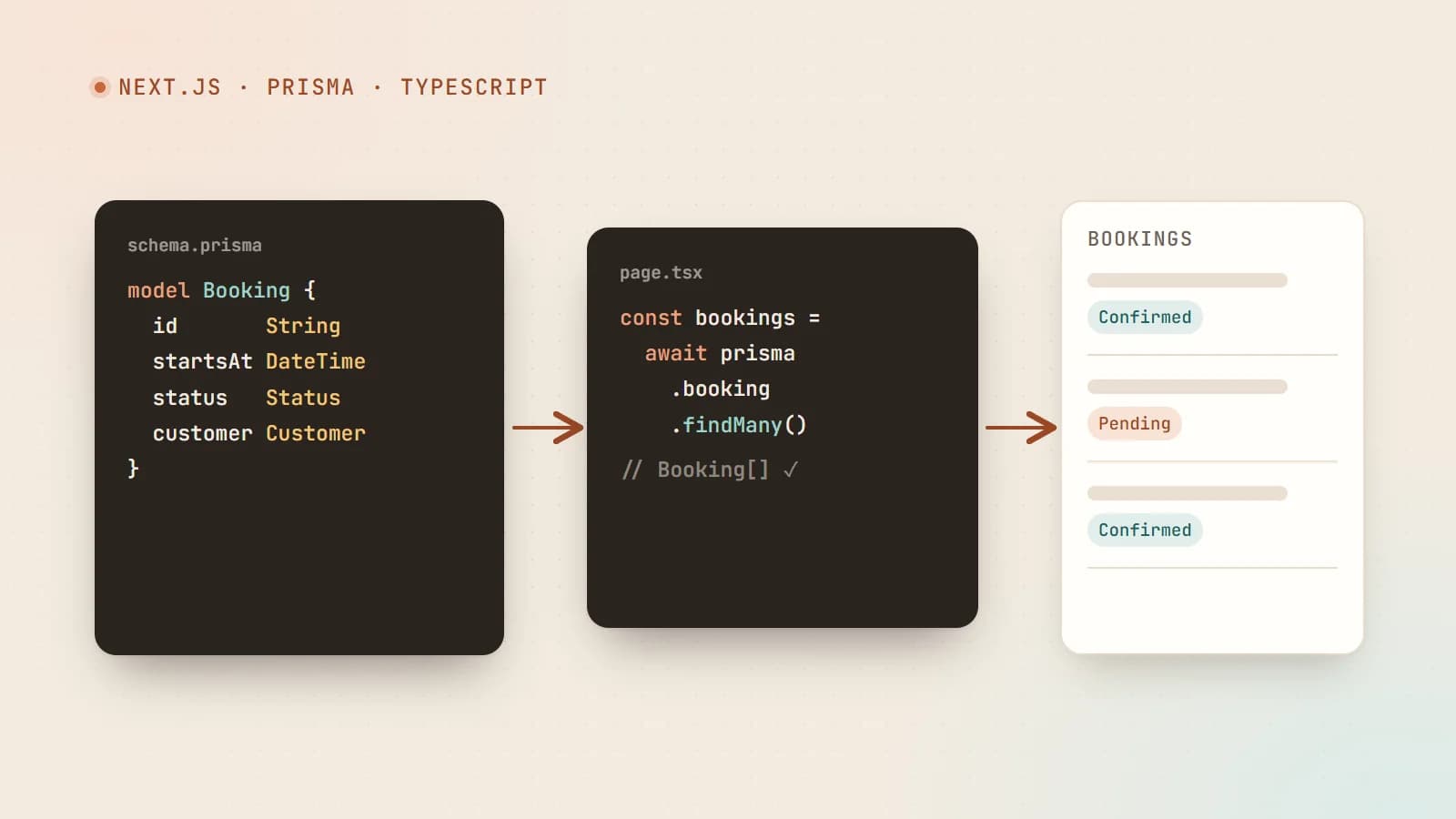
The Next.js App Router changes how we think about full-stack development. Components can run on the server and query the database directly, and forms can call server functions without you writing a separate API. Combined with Prisma ORM, you get a type-safe, productive setup where a change to your database schema flows all the way through to your UI — with the compiler pointing out everything that needs updating.
This guide walks through how the pieces fit together, using a small bookings app as the example. If you’re new to TypeScript, start with TypeScript for JavaScript developers.
Why this combination works
- One language, one codebase. TypeScript from database queries to React components.
- End-to-end types. Prisma generates types from your schema; Next.js passes them straight into components.
- Less glue code. Server Components read data directly; Server Actions handle mutations. No hand-written REST layer for your own UI.
- Great developer experience. Autocomplete for every model, field and relation.
Setting up Prisma
Install Prisma and initialize it:
npm install prisma --save-dev
npm install @prisma/client
npx prisma init
This creates a prisma/schema.prisma file and a .env entry for DATABASE_URL. Prisma supports PostgreSQL, MySQL, SQLite, SQL Server, MongoDB and more.
Designing the schema
The schema is the single source of truth for your data model:
generator client {
  provider = "prisma-client-js"
}

datasource db {
  provider = "postgresql"
  url      = env("DATABASE_URL")
}

model Customer {
  id        String    @id @default(cuid())
  name      String
  email     String    @unique
  bookings  Booking[]
  createdAt DateTime  @default(now())
}

model Booking {
  id         String        @id @default(cuid())
  customer   Customer      @relation(fields: [customerId], references: [id])
  customerId String
  startsAt   DateTime
  status     BookingStatus @default(PENDING)
  notes      String?
  createdAt  DateTime      @default(now())

  @@index([customerId, startsAt])
}

enum BookingStatus {
  PENDING
  CONFIRMED
  CANCELLED
}
Apply it to the database:
npx prisma migrate dev --name init   # SQL databases: creates and applies a migration
# npx prisma db push                 # MongoDB, or quick prototyping without migration files
Prisma regenerates the client, and every model becomes a fully typed API: prisma.booking.findMany(), prisma.customer.create() and so on.
One Prisma client, reused
In development, Next.js reloads modules frequently. Creating a new PrismaClient on every reload can exhaust database connections, so keep a single instance on globalThis:
// lib/prisma.ts
import { PrismaClient } from "@prisma/client";

const globalForPrisma = globalThis as unknown as { prisma?: PrismaClient };

export const prisma = globalForPrisma.prisma ?? new PrismaClient();

if (process.env.NODE_ENV !== "production") globalForPrisma.prisma = prisma;
Import prisma from this module everywhere — and only in server code. Marking data modules with import "server-only" makes the build fail if one is accidentally imported into a Client Component.
Reading data in Server Components
In the App Router, components are Server Components by default. They run on the server, so they can query the database directly — no API route, no useEffect, no loading spinners for the initial data:
// app/bookings/page.tsx
import { prisma } from "@/lib/prisma";

export default async function BookingsPage() {
  const bookings = await prisma.booking.findMany({
    where: { status: { not: "CANCELLED" } },
    orderBy: { startsAt: "asc" },
    include: { customer: { select: { name: true } } },
    take: 50,
  });

  return (
    <ul>
      {bookings.map((b) => (
        <li key={b.id}>
          {b.customer.name} — {b.startsAt.toLocaleString("en-US")} ({b.status.toLowerCase()})
        </li>
      ))}
    </ul>
  );
}
The bookings variable is fully typed, including the customer.name you selected — try to access a field you didn’t include and TypeScript stops you.
A few query habits that pay off:
- Select only what you need with
selectorinclude, especially before passing data to Client Components (everything you pass is sent to the browser). - Paginate with
takeandskipor cursors. Never load unbounded lists. - Add indexes in the schema for the fields you filter and sort on.
Writing data with Server Actions
Server Actions are async functions that run on the server and can be called from forms and Client Components. Mark them with "use server":
// app/bookings/actions.ts
"use server";

import { z } from "zod";
import { revalidatePath } from "next/cache";
import { prisma } from "@/lib/prisma";
import { getCurrentCustomer } from "@/lib/auth";

const BookingInput = z.object({
  startsAt: z.coerce.date().refine((d) => d > new Date(), "Choose a time in the future."),
  notes: z.string().max(500).optional(),
});

export type FormState = { ok: boolean; message?: string };

export async function createBooking(_prev: FormState, formData: FormData): Promise<FormState> {
  const customer = await getCurrentCustomer();
  if (!customer) return { ok: false, message: "Please sign in first." };

  const parsed = BookingInput.safeParse({
    startsAt: formData.get("startsAt"),
    notes: formData.get("notes") || undefined,
  });
  if (!parsed.success) return { ok: false, message: parsed.error.issues[0].message };

  await prisma.booking.create({
    data: { ...parsed.data, customerId: customer.id },
  });

  revalidatePath("/bookings");
  return { ok: true, message: "Booking requested." };
}
Three rules for every Server Action:
- Authenticate and authorize inside the action. Server Actions are public HTTP endpoints under the hood. Never assume only your UI can call them.
- Validate all input with a schema (Zod here). TypeScript types don’t exist at runtime.
- Refresh the affected data with
revalidatePathor tag-based revalidation so the UI shows the change.
The form: progressive and accessible
Use the action from a Client Component with React’s useActionState to show pending state and messages:
"use client";

import { useActionState } from "react";
import { createBooking, type FormState } from "./actions";

export function BookingForm() {
  const [state, action, pending] = useActionState<FormState, FormData>(createBooking, { ok: false });

  return (
    <form action={action}>
      <label htmlFor="startsAt">Date and time</label>
      <input id="startsAt" name="startsAt" type="datetime-local" required />

      <label htmlFor="notes">Notes (optional)</label>
      <textarea id="notes" name="notes" maxLength={500} />

      <button type="submit" disabled={pending}>
        {pending ? "Sending…" : "Request booking"}
      </button>

      {state.message && <p role={state.ok ? "status" : "alert"}>{state.message}</p>}
    </form>
  );
}
Because the form uses a real <form action>, it works with standard browser behavior, and native validation (required, maxLength) gives instant feedback before the server validates again.
Caching and freshness
Next.js can cache rendered pages and data aggressively, which makes database-backed pages very fast — but you must tell it when data changes:
- After a mutation, call
revalidatePath("/bookings")to refresh a route, or use tag-based revalidation to refresh every page that depends on a piece of data. - For pages that must always be fresh per request (dashboards, user-specific views), render dynamically.
- Caching APIs have evolved across Next.js versions, so check the documentation for the version you’re using.
Transactions and data integrity
When several writes must succeed or fail together, use a transaction:
await prisma.$transaction(async (tx) => {
  const booking = await tx.booking.update({
    where: { id: bookingId },
    data: { status: "CANCELLED" },
  });
  await tx.auditLog.create({
    data: { action: "booking.cancelled", bookingId: booking.id, actorId: user.id },
  });
});
Combine this with database-level constraints — unique indexes, required relations — so the database itself rejects invalid states.
Route Handlers for everything else
Server Actions are for your own UI. For webhooks, mobile apps or third-party integrations, use Route Handlers (app/api/.../route.ts), which expose standard HTTP methods:
// app/api/bookings/route.ts
import { prisma } from "@/lib/prisma";

export async function GET() {
  const upcoming = await prisma.booking.count({ where: { startsAt: { gt: new Date() } } });
  return Response.json({ upcoming });
}
Apply the same authentication, validation and rate-limiting rules here.
Deployment checklist
- Set
DATABASE_URLand other secrets in your hosting environment, never in the repository. - Run
prisma generateduring install or build (apostinstallscript works well) so the client matches the schema. - Apply migrations as a deliberate deployment step (
prisma migrate deployfor SQL databases) — not automatically on every app start. - Use connection pooling appropriate to your host, especially on serverless platforms where many short-lived instances can open many connections.
- Handle database outages gracefully: show a friendly error page rather than a crash.
The takeaway
Next.js and Prisma let one developer build a complete, type-safe application: schema, queries, mutations and UI in a single TypeScript codebase. Read data in Server Components, write it through validated and authorized Server Actions, keep caches fresh with revalidation, and let the generated types catch mistakes before your users do. It’s a stack that stays pleasant to work in as the app grows.
- Next.js
- Prisma
- TypeScript
- Full-Stack
Keep reading

6 min read
Next.js security update October 2026: which versions are vulnerable and how to upgrade
Next.js 16.4.1 and 15.5.28 fix two critical remote code execution bugs and a Server Actions denial of service. Here’s how to tell if your app is affected, how to upgrade safely, and what the November 3 security release means for you.
- Next.js
- Security
- Web Development
- Node.js
5 min read
Monorepos with Turborepo: share code between your website, dashboard and API
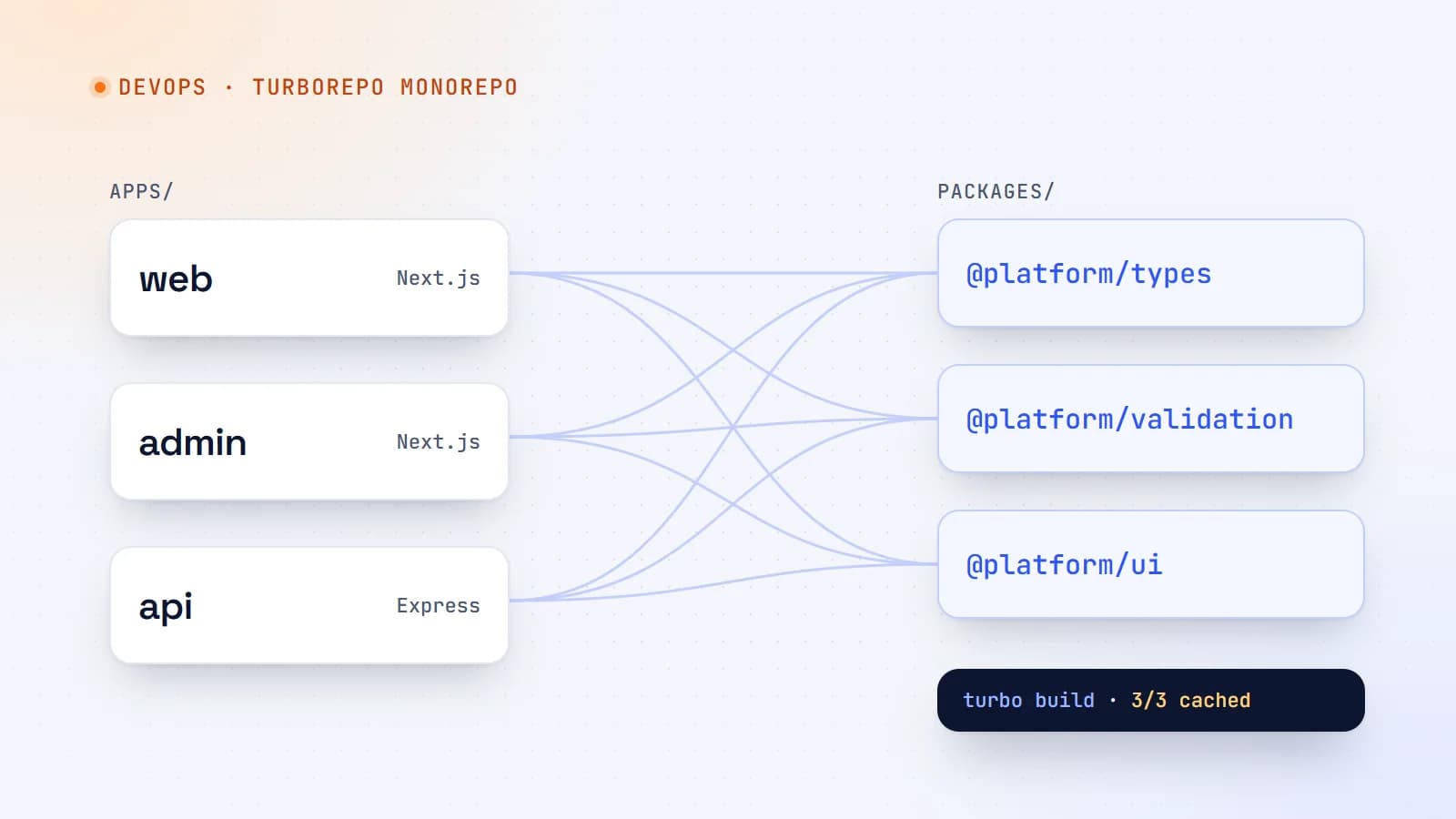
When a project grows into a website, an admin dashboard and an API, keeping them in separate repositories gets painful. Here’s how a Turborepo monorepo works, how to set one up, and the caching that makes it fast.
- Turborepo
- Monorepo
- DevOps
- TypeScript
5 min read
Multilingual websites done right: URLs, hreflang and international SEO
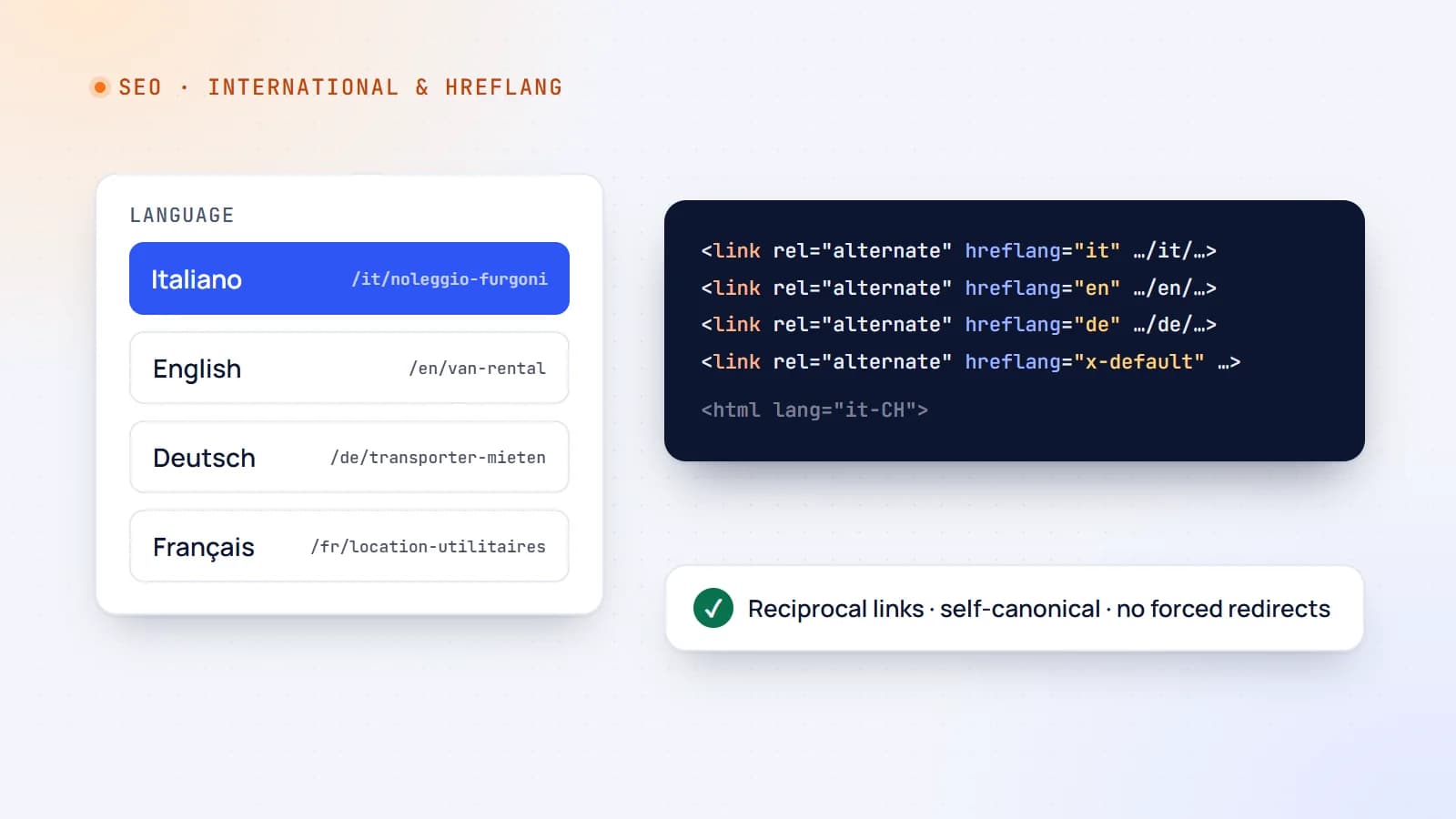
Translating your website can open new markets — or quietly confuse Google and frustrate visitors. Here’s how to structure a multilingual site, use hreflang correctly and avoid the mistakes that cost international traffic.
- International SEO
- SEO
- Web Development
- Next.js
Building something? Let’s talk.
If you’re planning a web app, a website or a new feature, a free call is a good place to start — you’ll get honest options, a fixed price and a timeline.